How do I handle business calls while we're closed for Christmas?
Decide what happens to every call before you close: tell callers your dates, capture who rang and why, give a clear route for anything that can't wait, and plan who rings people back on your first day, so nobody reaches a dead line and January doesn't start with a full voicemail box.
Why Christmas calls are worth planning for
Your customers don't all stop when you do. People with time off finally ring about the job they've been putting off, cold weather finds the weak boiler and the stiff lock, and anyone planning January wants to get in the diary early. If they reach a phone that rings out, or a voicemail box that's full, most won't try again in January. They'll ring someone else.
You don't need to work through the break to keep those callers. You need each call to end with the caller knowing when they'll hear from you, and with you knowing who rang.
Five ways to cover the phone
From least to most cover:
- Voicemail with a Christmas greeting. Free and quick. The weakness is that many callers hang up at the beep, and a box can fill up over a long break.
- Divert to whoever is on call. A rota among the team means urgent calls reach a person. It costs someone their time off, so agree in advance which calls count.
- A human answering service. People answer in your name from a script and can often put an urgent call through to you. Ask what bank holidays cost before you sign up.
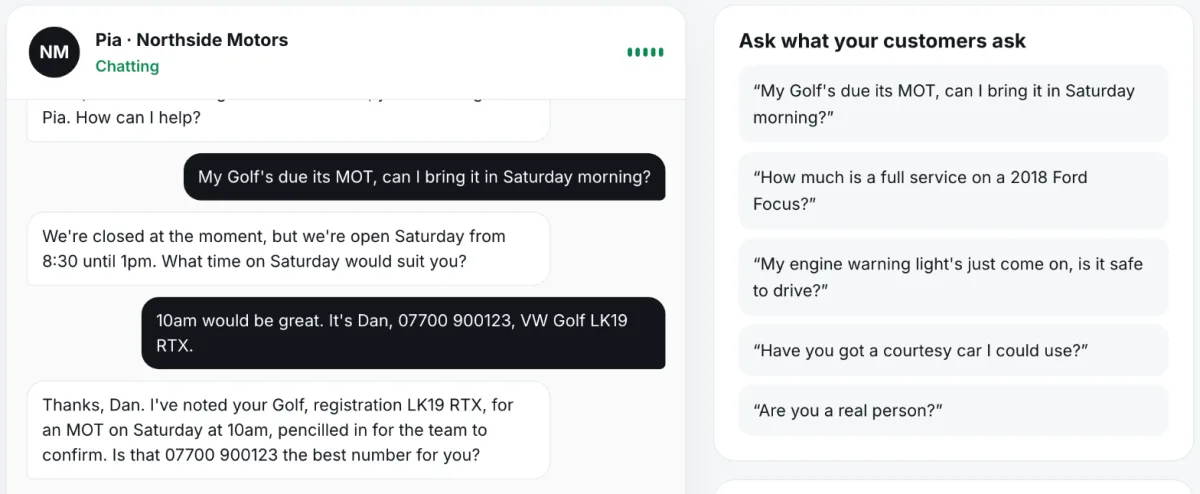
- An AI receptionist. Software answers in your name at any hour, takes the details and sends you a written summary. It costs the same on Christmas Day as any other day, but most can't make a judgement call on an unusual problem.
- A mix. For example, an AI receptionist or voicemail for routine calls, with an emergency mobile number given out for real emergencies only.
Before you close: a checklist
Do these in your last week, not on your last afternoon:
- Fix the dates: the last day you answer, and the first day you ring back.
- Decide what counts as urgent, and who (if anyone) deals with it.
- Record your Christmas voicemail greeting, even if you use an answering service, as a fallback.
- Set special hours on your Google Business Profile and put the dates on your website.
- Turn on an email auto-reply with the same dates.
- Tell regular customers and anyone with a job in progress.
- Set up your call divert and test it from another phone.
- Check your phone tariff: a diverted call can be charged as an outgoing call.
- Empty your voicemail box so it can't fill up.
Setting the divert
On most UK mobiles you can send every call somewhere else while you're closed by dialling **21*, the number to forward to, then # and pressing call. Dial *#21# to check it and ##21# to turn it off. These codes are part of the standard mobile networks use, though networks occasionally differ.
If you'd rather your own phone still rang first, use divert when not answered instead: **61*, the number, then **20# to forward after 20 seconds, and ##61# to cancel. Landlines and internet phone systems do the same thing through a setting in the provider's app or online account.
Whichever you choose, put a reminder in your calendar to switch it off on your first day back.
What callers should hear
Whether it's a recording or a receptionist, the caller should hear the same four things: your business name, the date you're back, what to do if it can't wait, and a request for their name, number and what they need. Our Christmas closure voicemail guide has wording you can copy for different kinds of business.
Emergencies over the break
If you offer emergency cover, say what counts, give one number, and make sure a person really answers it. If you don't, say so clearly, so the caller can find someone who does instead of waiting on a call-back that won't come until January.
No voicemail or answering service is a substitute for the emergency services. Anyone in danger should be told to call 999.
Your first day back
The break isn't over until the call-backs are done. Block out the first morning for them.
- Turn off the divert and change your greeting back.
- Ring urgent callers first, then work from the oldest call to the newest.
- Ring everyone, including the ones who have probably sorted it. A call-back is remembered.
- Note which questions came up most, and add the answers to your website or greeting for next year.
Step by step
- Choose how calls are covered. Voicemail, an on-call colleague, an answering service, an AI receptionist or a mix.
- Tell it your dates. Record the greeting, or give your answering service or receptionist the closing and reopening dates.
- Set the divert. On most UK mobiles dial **21*, the number, then # to divert all calls, or use **61* to divert only unanswered calls.
- Test it. Ring your business number from another phone and listen as a customer would.
- Work the list on day one. Turn the divert off, then ring back urgent callers first and the rest in order.
Where Pickuply fits
Pickuply is an AI receptionist for UK small businesses. Divert your number to it while you're closed and it answers every forwarded call in your business's name, at any hour, takes the caller's name, number and what they need, and emails you a summary straight after each call, with urgent calls marked. It works from your weekly opening hours, so tell it your Christmas dates before you go: add a note for callers such as "Closed from 24 December, back on Monday 4 January", and mark the days off on your Bookings page so it only offers times after you reopen. Then ring it and listen. It doesn't put calls through to your mobile and it doesn't send texts, so if you want to act on urgent calls during the break, someone needs to keep an eye on the summary emails. Bank holidays cost the same as any other day. Pickuply is a monthly bundle of call minutes with no contract: Starter is £39 a month for 150 call minutes, then £0.30 a minute, and Pro is £89 a month for 400 call minutes. Both start with a 14-day free trial, and you can call your receptionist in your browser before you sign up, with no card.
Free to try on a call in your browser. No card needed. Or start without a website, or hear a sample call first.
Questions
Should I just switch the business phone off over Christmas?
It's better not to. A phone that rings out or goes dead tells callers nothing. A greeting with your return date, or a service that takes their details, keeps the enquiry for January.
How far ahead should I set this up?
At least a week before you close. A voicemail greeting takes minutes, but an answering service needs your details, and a new UK phone line has to be registered to your business first. With Pickuply that usually takes 1 to 3 working days.
Will Pickuply ring me about an urgent call on Christmas Day?
No. It marks the call as urgent in the summary email it sends straight after the call. It doesn't phone or text you.
Do answering services charge more on bank holidays?
Some human services do, so ask for bank holiday rates in writing. Pickuply charges the same per minute on every day of the year.
Will I pay for calls while we're closed?
With Pickuply only calls forwarded to it use your minutes. Check your own phone tariff as well, because a diverted call can be charged as an outgoing call.
When are the bank holidays this Christmas?
Friday 25 December 2026, Monday 28 December 2026 (for Boxing Day) and Friday 1 January 2027. Scotland also has Monday 4 January 2027.
Sources
Checked November 2026. General information, not legal or professional advice.