How does an AI answering service work?
An AI answering service works by receiving your diverted calls, turning the caller's speech into text, deciding what to say from your business details, replying in a natural voice, and sending you a written summary of the caller's details and request when the call ends.
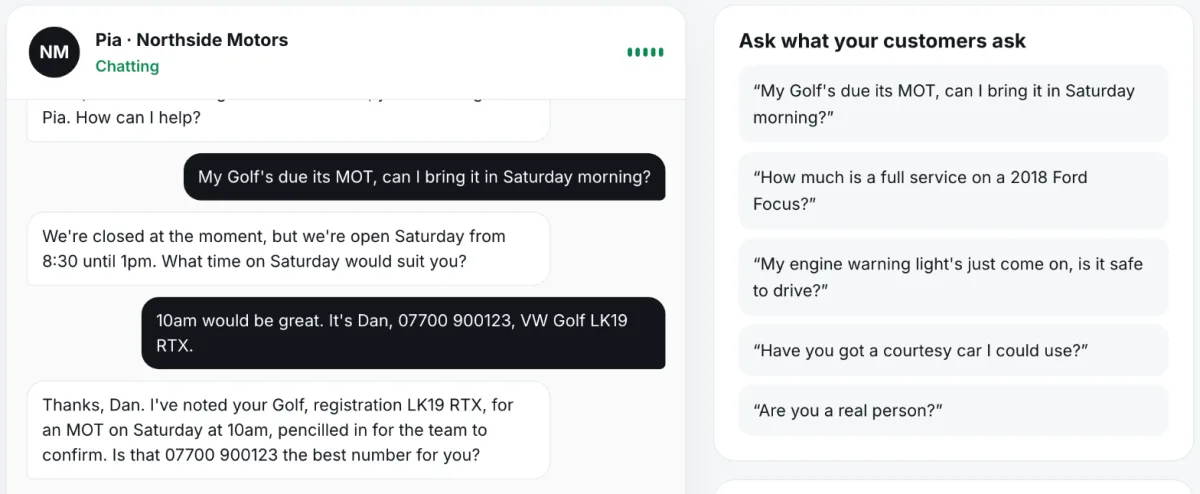
From ring to summary
When you don't answer, your phone diverts the call to the AI answering service's number. The service answers within a ring or two in your business's name. While the caller speaks, speech recognition turns their words into text. A language model reads that text alongside your business details (hours, services, prices, area and any rules you've set) and decides what to say. A voice engine speaks the reply. This loop repeats until the call ends, fast enough to feel like a normal conversation.
When the caller hangs up, the service writes a summary: who called, their number, what they wanted, any booking and whether it's urgent. That reaches you straight away, usually by email or in an app.
Where its knowledge comes from
An AI answering service only knows what you give it. Good ones read your website or Google listing to draft your details, then let you correct them. They should stick to those facts and take a message when they don't know, rather than guess. That's why it matters to check what it wrote about your prices and area before you switch it on.
How bookings work
For bookings, the service works out the local time and your opening hours, looks for free slots (checking your calendar if you connect one), offers the caller a couple of real times, and holds the chosen one. Most small-business set-ups pencil the slot in for you to confirm, because you know things the calendar doesn't.
Where it can go wrong, and what to test
Test it yourself before customers do. Ring it with a normal booking, an awkward question and an urgent call, and read the summaries.
- Answering a question it shouldn't, like a price you never gave it.
- Offering a time when you're closed.
- Mishearing a name, number or postcode, so check it reads key details back.
- Not saying it's an AI when sincerely asked.
- Keeping recordings of your customers longer than you'd like.
Step by step
- Divert. Your phone forwards unanswered calls to the service's number.
- Listen. Speech recognition turns the caller's words into text as they talk.
- Decide. A language model chooses a reply from your business details and rules.
- Speak. A voice engine says the reply in a natural voice, and the loop repeats.
- Summarise. After the call you get the caller's details, request, any booking and urgency in writing.
Where Pickuply fits
That's how Pickuply works. It learns your business from your website or Google listing, you correct anything wrong, and it answers only from those details, taking a message for anything it doesn't know. It offers free slots in your hours (reading busy times from Google Calendar or Outlook, or a photographed paper diary), pencils them in for you to confirm, and emails you a summary straight after every call, with urgent calls marked and unanswered questions listed so you can teach it the answer. It says it's an AI if asked. Audio isn't recorded and transcripts are deleted after 30 days. Pickuply is a monthly bundle of call minutes with no contract: Starter is £39 a month for 150 call minutes, then £0.30 a minute, and Pro is £89 a month for 400 call minutes. Both start with a 14-day free trial, and you can call your receptionist in your browser before you sign up, with no card.
Free to try on a call in your browser. No card needed. Or start without a website, or hear a sample call first.
Questions
Does it sound robotic?
Modern voices sound natural. The best test is to call one yourself before deciding.
Does it record calls?
It depends on the service. Pickuply doesn't record audio and deletes transcripts after 30 days.
What if the caller has a strong accent or a bad line?
Speech recognition can mishear, like a person can. A good service reads back key details such as the phone number.
Can it transfer calls to me?
Some can. Pickuply puts urgent calls through to your mobile after taking the caller's details, and marks them urgent in your email if you miss it.
Does it get better over time?
Pickuply lists questions it couldn't answer so you can teach it the answer once.